Set Up Claude Code
This guide connects Anthropic's Claude Code to TokHive, so Claude Code runs on TokHive's models and draws on your TokHive balance. It takes about five minutes.
You need: a TokHive account with a balance above zero (see Deposits), and a terminal on macOS, Linux or Windows.
1. Install Claude Code
Skip this step if claude --version already works.
- macOS / Linux
- Windows (PowerShell)
curl -fsSL https://claude.ai/install.sh | bash # or: brew install --cask claude-code
irm https://claude.ai/install.ps1 | iex
You don't need to sign in to Claude Code with an Anthropic account to use TokHive.
2. Create an API key
In the console, open API Keys and click Create key. Give it a name you will recognize, such as the machine it runs on, and click Create.
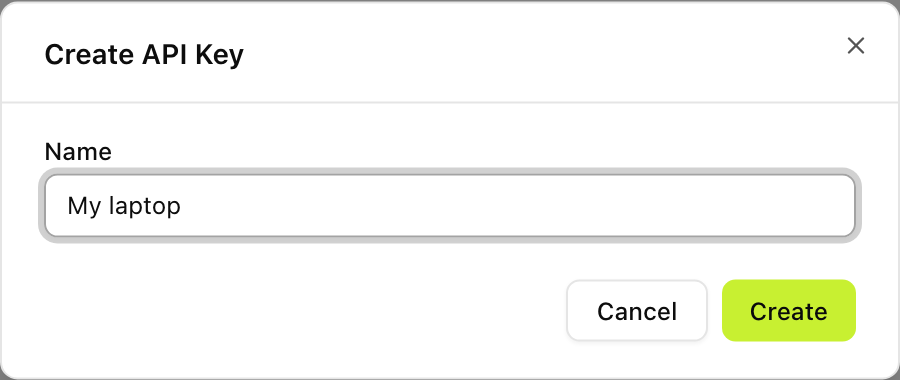
The key starts with hive_ and is shown only once. Keep the dialog open and switch to the Claude Code tab: it shows the settings with your key and offered models already filled in.
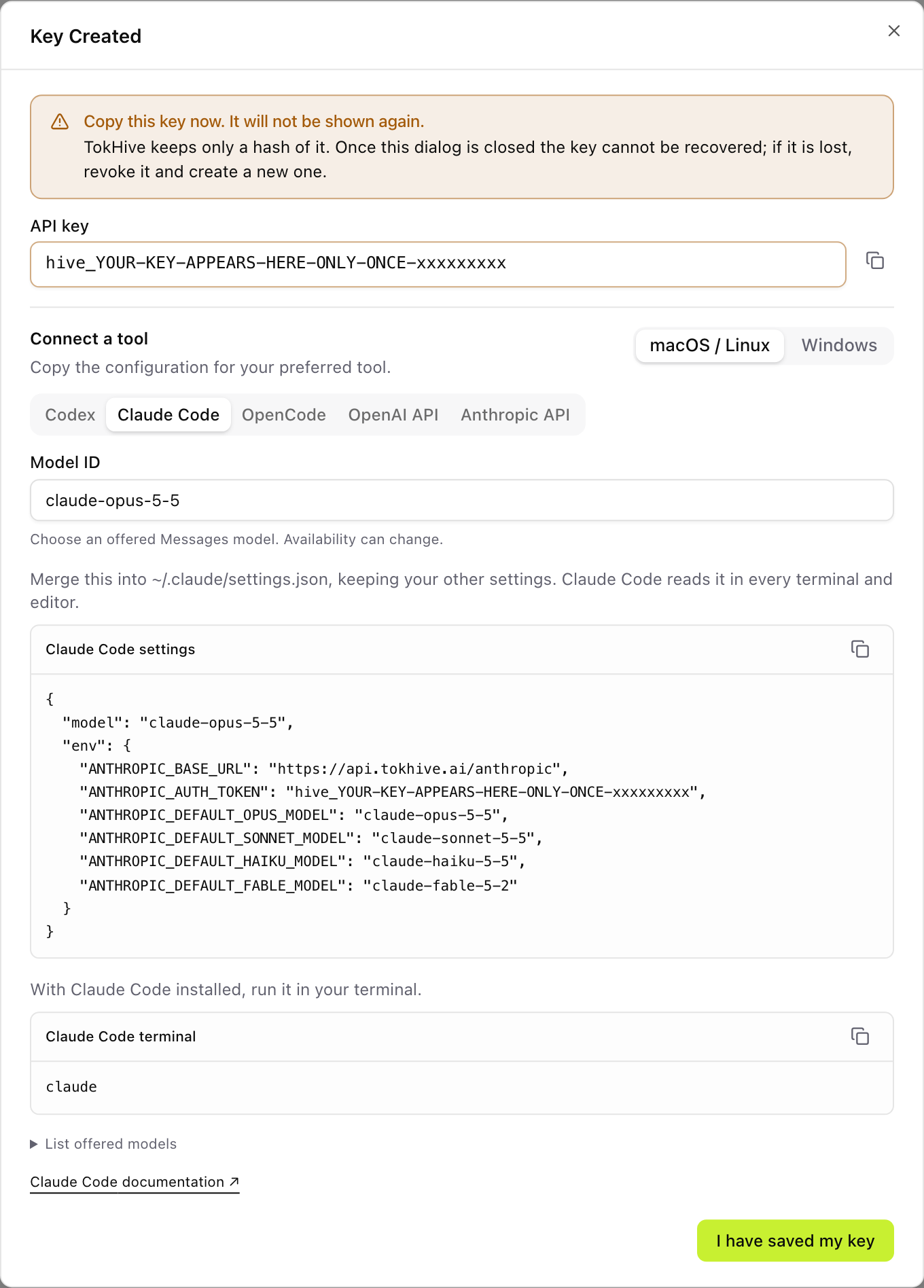
Under Model ID, choose the model Claude Code should start with.
3. Add TokHive to the Claude Code settings
Claude Code reads its settings from a JSON file in your home folder, in every terminal and editor. Open it, creating it if it doesn't exist:
- macOS / Linux
- Windows (PowerShell)
~/.claude/settings.json
%USERPROFILE%\.claude\settings.json
Paste the Claude Code settings block from the dialog. If the file already has settings, keep them: add model next to them and merge these entries into your existing env object.
{
  "model": "claude-opus-5-5",
  "env": {
    "ANTHROPIC_BASE_URL": "https://api.tokhive.ai/anthropic",
    "ANTHROPIC_AUTH_TOKEN": "hive_xxxxxxxxxxxxxxxxxxxxxxxxxxxx",
    "ANTHROPIC_DEFAULT_OPUS_MODEL": "claude-opus-5-5",
    "ANTHROPIC_DEFAULT_SONNET_MODEL": "claude-sonnet-5-5",
    "ANTHROPIC_DEFAULT_HAIKU_MODEL": "claude-haiku-5-5",
    "ANTHROPIC_DEFAULT_FABLE_MODEL": "claude-fable-5-2"
  }
}
What the settings do:
ANTHROPIC_BASE_URLandANTHROPIC_AUTH_TOKENsend Claude Code's requests to TokHive with your key.modelis the model new sessions start on.- The four
ANTHROPIC_DEFAULT_*_MODELentries say which model each of Claude Code'sopus,sonnet,haikuandfablealiases means. Claude Code uses them for subagents and background work as well as in/model, so each must name a model TokHive offers, or those requests fail withmodel_not_found. The dialog fills them in from the models offered right now.
The file is strict JSON: no comments, and no comma after the last entry.
4. Check that it works
Run a one-off request:
claude -p "Reply with exactly OK."
Claude Code should answer OK. Then open the console's Call Records page: the call is listed with its model, tokens and cost.
From now on, start Claude Code as usual with claude. Inside it, run /status to confirm that your user settings were loaded, and /model to switch models.
Remove the TokHive entries from the env object, and the model line if you added it, then restart Claude Code. Your other settings stay as they were.
Troubleshooting
| What you see | What to do |
|---|---|
401 or invalid_api_key | Check the key in ANTHROPIC_AUTH_TOKEN. If it was revoked, create a new one and replace it. |
402 or insufficient_balance | Your balance is 0 or below. Add funds. |
model_not_found | A model in the settings isn't offered, often one of the ANTHROPIC_DEFAULT_*_MODEL aliases. Point each at a model from the price list, or reopen Setup guides on the API Keys page to copy current values. |
503 or no_supply | No account can serve that model right now. Retry shortly, or switch to another model with /model. |
| Claude Code ignores the settings | Run /status and check that User settings is listed. A typo in the JSON makes Claude Code skip the file and report a settings error at startup. |
For every error code, see Errors.
Switching Claude Code between TokHive and another provider often? CC Switch does it with one click.